Hub Bar
Your smart home, right in the Mac menu bar.
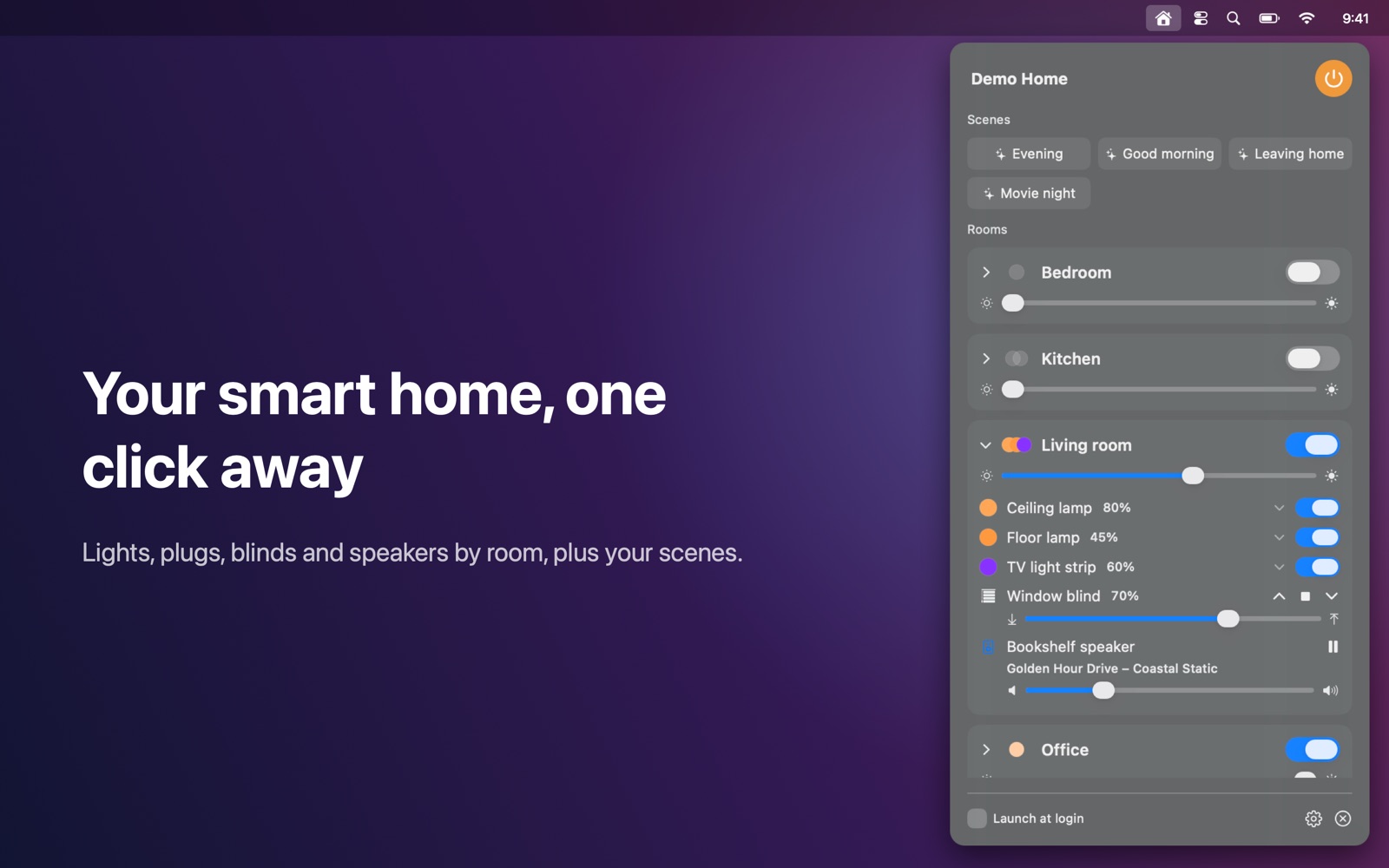
Control your smart home from the Mac menu bar.
Features
- Rooms with all their devices: lights, plugs, blinds, speakers and air purifiers
- Lights: on/off, brightness, colour temperature and colour
- Blinds: open, close, stop or set any position
- Scenes as one-click buttons, and "all lights off"
- The menu bar icon fills when a light is on; live updates as things change
- Finds the hub automatically, supports multiple hubs and manual IP addresses
- Works entirely on your local network: no account, no cloud, no tracking
Works with
Works with the IKEA DIRIGERA hub.
Support
Questions, a problem, or a feature request? Email tom@tomfranssen.nl. Please mention your macOS version and your device model, or use “Email support” in the app, which adds a diagnostics report without passwords or keys.
Common questions
How do I pair Hub Bar with my hub?
Click Pair, then press the action button on the bottom of the DIRIGERA hub within 60 seconds. The hub issues an access token, which is stored in your Mac's Keychain.
The app doesn't find my hub
Make sure your Mac and the hub are on the same network and that Hub Bar is allowed under System Settings → Privacy & Security → Local Network. You can also add the hub by its IP address: click the gear icon, enter the address and click Add.
Hub Bar says the hub's certificate changed
This can happen after a firmware update or a reset of the hub. Pair again to continue; you'll need to press the button on the hub.
Which devices can I control?
Lights (on/off, brightness, colour temperature and colour), plugs, blinds, speakers and air purifiers that are connected to the DIRIGERA hub, plus your scenes. The older TRÅDFRI gateway is not supported.
Can I try it without a hub?
Yes. Choose “Try the demo”: a simulated home with lights, blinds and scenes shows every feature.
How do I send diagnostics?
Click the gear icon and choose “Copy diagnostics” or “Email support”. The report contains no passwords, access tokens or keys and only leaves your Mac when you paste or send it.