Home Bar
Your whole home in the menu bar, and on your iPhone and iPad.
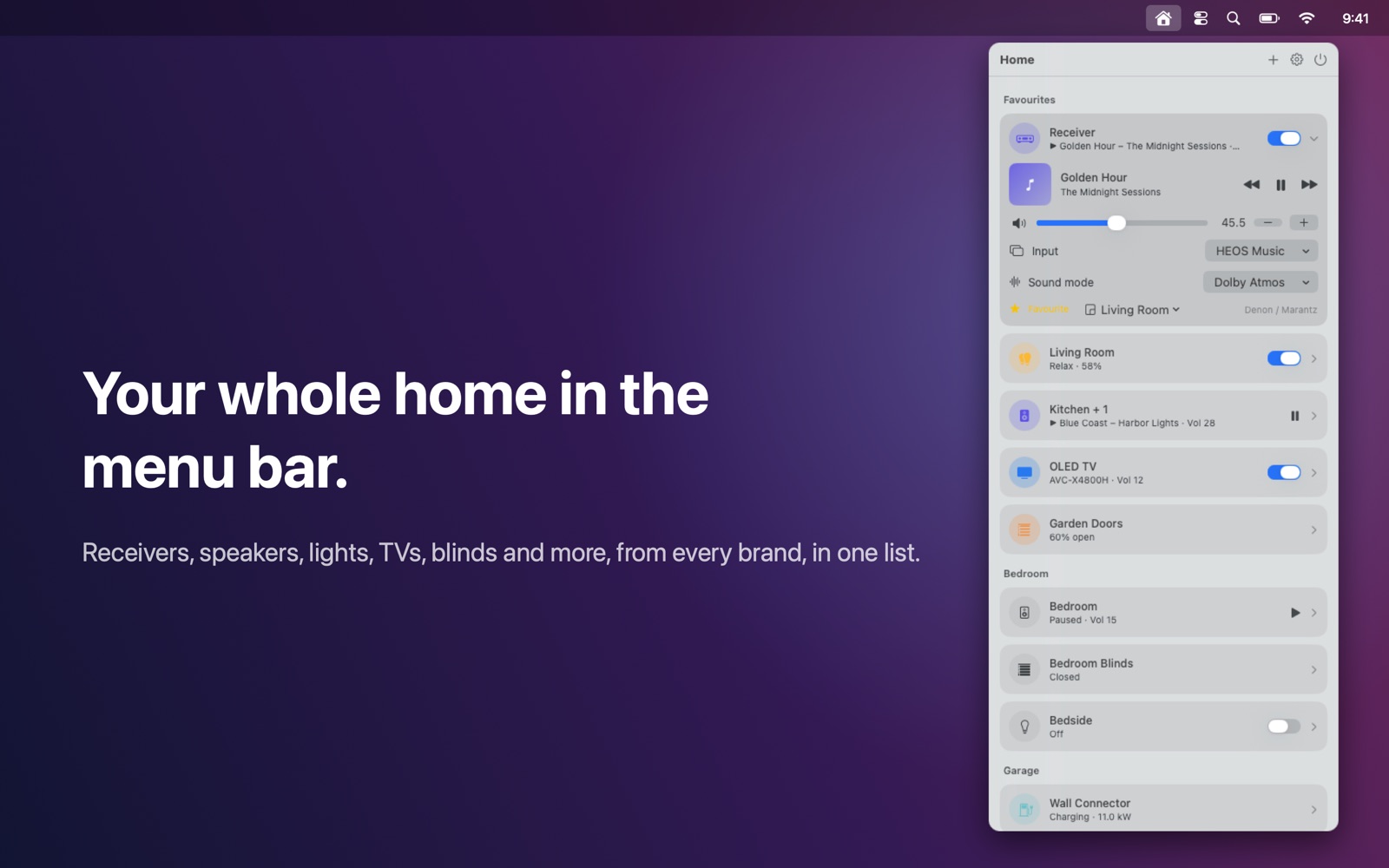
One remote for your whole home: AV receiver, speakers, lights, TV, blinds, plugs and more, in your Mac's menu bar and on your iPhone and iPad.
Features
- Every device in one list, grouped by room, with your favourites on top
- Tap a device to open exactly the controls it supports: power, volume, inputs, sound modes, now playing, brightness, colour, blind position, scenes, presets, TV apps and a remote
- Finds supported devices on your network automatically, or add one by IP address
- Widgets, Control Center controls and Shortcuts on iPhone and iPad
- Works entirely on your local network: no account, no cloud, no tracking
Works with
Works with: Denon and Marantz (HEOS) receivers, Yamaha MusicCast, Onkyo, Pioneer and Integra receivers; Sonos speakers; Philips Hue bridges; LG webOS, Samsung Tizen and Sony BRAVIA TVs; Apple TV; Shelly relays and plugs; IKEA DIRIGERA hubs; Hunter Douglas PowerView Gen 2 blinds; WLED light strips; Bambu Lab, OctoPrint, Klipper (Moonraker) and PrusaLink 3D printers (status); Tesla Wall Connector Gen 3 (status).
Support
Questions, a problem, or a feature request? Email tom@tomfranssen.nl. Please mention your macOS version and your device model, or use “Email support” in the app, which adds a diagnostics report without passwords or keys.
Common questions
What does it cost?
Home Bar is a free download with a free 14-day trial of everything: tap “Start 14-day free trial” in the app. After that, Home Bar Pro is a one-time purchase ($19.99 in the US; local prices vary) that unlocks Home Bar on your Mac, iPhone and iPad with the same Apple ID. There is no subscription and nothing is charged automatically. If you don't buy it, the demo keeps working; only controlling your own devices is locked.
Which devices are supported?
- AV receivers: Denon and Marantz (HEOS), Yamaha MusicCast, Onkyo, Pioneer and Integra (eISCP)
- Speakers: Sonos
- Lights: Philips Hue bridges, WLED light strips, IKEA DIRIGERA
- TVs: LG webOS, Samsung Tizen, Sony BRAVIA, and Apple TV
- Blinds: Hunter Douglas PowerView Gen 2, IKEA DIRIGERA
- Plugs and relays: Shelly, IKEA DIRIGERA
- Status only: Bambu Lab, OctoPrint, Klipper (Moonraker) and PrusaLink 3D printers; Tesla Wall Connector Gen 3
The app doesn't find my device
Make sure your Mac, iPhone or iPad is on the same network and that Home Bar is allowed to use the local network (Mac: System Settings → Privacy & Security → Local Network; iPhone/iPad: Settings → Privacy & Security → Local Network). You can always add a device by its IP address: + → Add by IP address. On iPhone and iPad some brands (Yamaha, Onkyo, Bambu Lab, Sonos without Bonjour) can only be added by IP address.
How does pairing work?
Some devices need a one-time approval: press the link button on a Hue Bridge or the action button on a DIRIGERA hub, accept the prompt on an LG or Samsung TV, type the code an Apple TV shows, or enter the access code or key of a printer or Sony TV. Keys are stored in your device's Keychain.
Widgets, Control Center and Shortcuts
On iPhone and iPad, add the Favourites or Now Playing widget, a Home Bar control in Control Center (iOS 18), or use the Shortcuts actions (turn on/off, play/pause, volume, scene).
Can I try it without these devices?
Yes. Choose “Try the demo” for a sample home with every kind of device. The demo always works, also without the trial or a purchase.
How do I send diagnostics?
Open Settings in Home Bar and choose “Copy diagnostics” or “Email support”. The report contains no passwords, keys or Wi-Fi names, and only leaves your device when you send it.