Charge Bar
Your EV charger, right in the Mac menu bar.
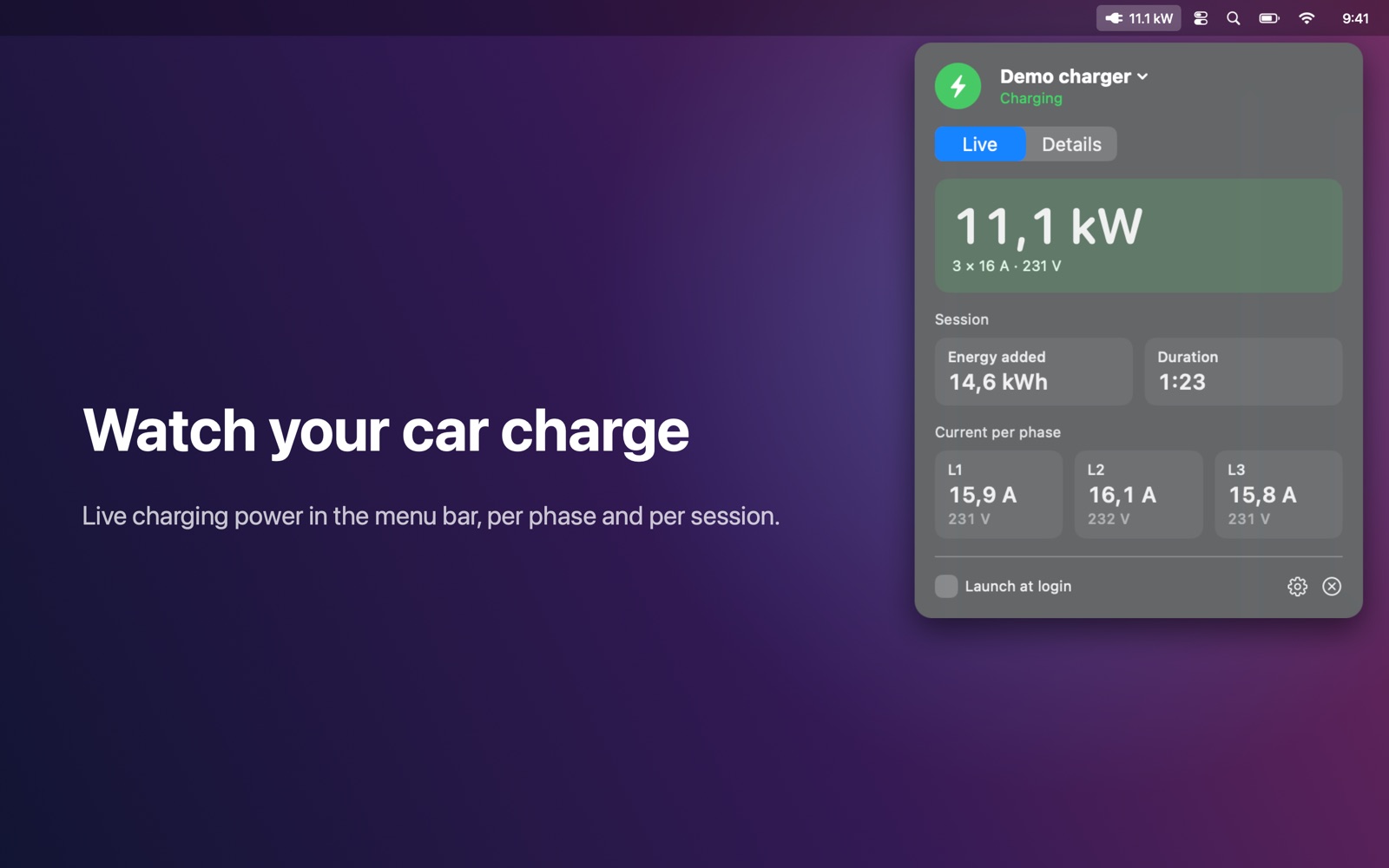
See your electric car charge right from the Mac menu bar.
Features
- Live charging power (kW) in the menu bar while the car charges — just a plug icon when idle
- Charger state at a glance: idle, car connected, charging, complete, or fault with the alert text
- Current and voltage per phase, session energy and duration
- Lifetime energy delivered, number of sessions and total charging time
- Handle, circuit board and processor temperatures, grid voltage and frequency, Wi-Fi signal
- Optional notifications when charging starts, stops or completes
- Read-only and private: talks only to the charger on your local network — no account, no cloud, no tracking
Works with
Works with the Tesla Wall Connector (Gen 3).
Support
Questions, a problem, or a feature request? Email tom@tomfranssen.nl. Please mention your macOS version and your device model, or use “Email support” in the app, which adds a diagnostics report without passwords or keys.
Common questions
Which chargers are supported?
The Tesla Wall Connector Gen 3, connected to your Wi-Fi. Other chargers and older Wall Connector generations are not supported.
Can Charge Bar start or stop charging?
No. Charge Bar is read-only: it uses the charger's local status interface and never changes any charger setting.
The app doesn't find my charger
Click “Search network” in the settings: it briefly checks the addresses of your own local subnet, only when you click it. You can also enter the charger's IP address yourself; your router's device list shows it. Make sure Charge Bar is allowed under System Settings → Privacy & Security → Local Network.
How do notifications work?
Turn them on in the settings to get a notification when charging starts, stops or completes. They are created on your Mac while Charge Bar is running.
Can I try it without a charger?
Yes. The settings page offers “Try the demo”: a simulated 11 kW three-phase charging session.
How do I send diagnostics?
Use “Copy diagnostics” or “Email support” in the settings. The report contains no passwords or keys and only leaves your Mac when you paste or send it.